Let’s face it. Facebook desperately wants to be the center of your online activities: your home page, your entertainment hub, your news source. Especially your news source. The social media giant may have finally arrived in this last sector.
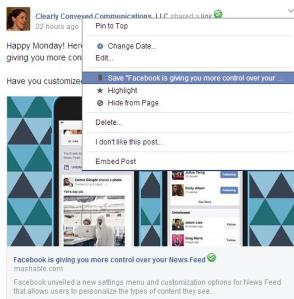
Facebook is giving you more control over your News Feed, including saving content you’d like to view later.
The recently introduced Save feature finally allows you to store interesting news stories and posts away for later when you have some time to read them. This is a great option for users and brands alike. Fans of your page can catch up on your shared blog posts and contests on the train, waiting at the doctor’s office or settled in front of the fire place later that evening. Have you saved any posts on Facebook for later viewing?
When you’re ready to retrieve your saved works, just click on the Saved link on the left hand side of your home page under your other lists (if you have any). A News Feed will display with your saved posts, even allowing you to further narrow down your selection by media type: links, videos, music, books, etc. The Saved News Feed also allows you to easily view the content, the original post or share the content to your network.
For brands, users who save your material have a shortcut to your content and page. Will this affect the type of content you share? Will it encourage you to share more in-depth articles, how-to videos and blog posts, knowing that users don’t have to consume the content when they see it?
Combined with the latest change to Facebook’s algorithm, this may be the way to go. Posts sharing a link with preview now achieve far better reach than pictures or plain text updates (in most cases). Plus, the social media behemoth is now allowing users to further customize their News Feeds.
With these changes, Facebook may finally be moving toward the news source it so desperately wants to be.
Comment: Your Facebook Feedback
Are you using Save and the new customization features?
Have these new features affected your view of brand pages on Facebook?
Do you enjoy using Facebook more, less or the same as one year ago?
What features can Facebook introduce to improve your experience?
p.s. As a user, I’m enjoying Facebook’s new features, but as a brand page owner, I’m still not sold. What do you think?
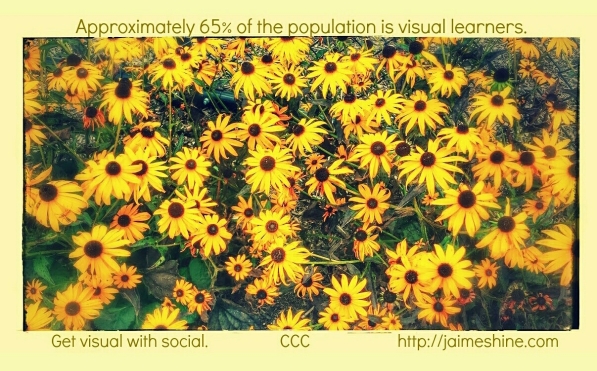
We’ve all heard that ‘a picture’s worth a thousand words,’ but the proof is more personal. When you flip through a magazine, browse online or read a blog post, where do your eyes go? To the pictures. So it should be no surprise that images are the number one most important factor in optimal social media content. [source]
I can spout stats all day, but instead I’d like to focus on tools to help you create professional images for your content marketing and social media needs.
Your Gallery – You’d be surprised at the wealth of images already available at your fingertips. Look at some of your favorite pictures and see how you could tie them in to your marketing message (like the image above). Furthermore, if you come across an interesting photo op, take it. I snapped a close up shot of the front of a journal a few weeks ago and ended up using it last week for a CCC Facebook post.
Creative Commons (or CC) Search – I love this search engine! Easily find legal images to spice up your content on various search engines. If you’re looking to modify an image or use it for commercial purposes, check the appropriate boxes because licenses vary. Make sure to properly attribute the photo you find.
PicMonkey – A fun, online photo editor that allows you to design visuals from scratch or edit your own photos. Standard templates are available (including a Facebook cover photo) and the array of themes, frames, text fonts, overlays and other tools at your disposal — for free — are impressive. Paid membership is available for additional resources.
Square InstaPic – Are you tired of trying to force your photos into Instagram’s square template? Then this dynamic, easy-to-use app is for you! Square InstaPic allows you to use your whole image and enhance it — add text, change background colors, use filters, make collages, etc. I love this app so much it sits right next to my Instagram app on my visual home screen. Android only. (iPhone owners, what’s your favorite photo editing app?)
Picture Manager – This handy little program is a lifesaver, so I’m sad to see that it isn’t included in MIcrosoft Office 2013 (although you can still get it.) Resizing your images to optimal size for the social network you’re using them for is an important step, and I regularly use this program just for that reason. You can also crop, remove red eye, rotate and adjust the color, among a number of editing functions. As a bonus, Picture Manager also allows you to save pictures as different file types and serves as an effective way to manage your gallery.
Research & Statistics
If you’re looking for more facts and figures, check out the following resources:
Hashtags: you either love them or hate them. This blog has pondered hashtag usage before and received a mixed response from readers on their effectiveness and aesthetic appeal. But more than a year after that discussion, one thing is clear. Hashtag usage should be defined more than ever by social platform.
Original photo credit: “Protesters Blur By” by Geraint Rowland via CC BY 2.0 // edited by author
Social Platform Hashtag Usage
Twitter? One to two hashtags raises engagement and can help you reach new audiences. Three or more turn off potential readers because #nobody #wants to #read a #tweet #like #this. Remember, aesthetics matter, especially now that pictures are viewed directly in the tweet and articles can be previewed. CCC Tip: put your hashtags at the end of the tweet if character space allows.
Facebook? Not so much. The largest social network was late to the game recognizing hashtags and its audience doesn’t have patience for them. One or two may bring new eyes to your post, but make sure you tuck them in at the end so they’re as out of sight as possible. CCC Tip: Pass on hashtag usage on Facebook; they do more damage than good. In fact, when we published the previous hashtag post, Facebook was where we received the most negative feedback on the subject.
Pinterest? Meh. The verdict is sill out on this platform, so you may want to use a couple of applicable hashtags, if appropriate, or bypass altogether. Pins are typically easier to find via category (by search) or by board, so make sure to ‘file’ them properly. Also, take advantage of board descriptions! Let your prospective audience know why they should follow a particular board so they’re more likely to see future pins.
Instagram? Gold mine. Some days it seems like hashtags were created for this popular visual platform instead of Twitter. Sure, you’ll see some people complain about the plethora of hashtags used on this site (30 are allowed per photo), but they are SO effective in bringing increased traffic when used appropriately.
Hashtag Guidelines on Instagram
First, only tag your photos with hashtags that make sense; don’t tag accounts or hashtags only to fool people into looking at your picture. That makes people mad, so it’s not an effective long-term solution. Example: CCC is a marketing company that specializes in writing (including social media), but we don’t tag a picture of a sunset with #marketing, #writing or #socialmedia (unless it’s applicable for some reason).
Research hashtags to check their popularity and what type of photos show up in the search. More popular hashtags (#socialmedia, #writing) mean more people are searching, but more results in the search mean more competition. Less popular hashtags (such as ones you create) have less competition, but you’ll need to promote the tag to draw eyes to it. During your research, get a feel for what type of photos show up in the search. You may be surprised by the double meaning of some hashtags or an unexpected use by another campaign.
You can use up to thirty hashtags per photo, but don’t feel obligated. In our experience, most photos don’t warrant that many hashtags.
Creating your own hashtag? Try to keep it reasonable in length and avoid special characters (?!#$%), because they don’t work. Numbers do though. Make your hashtag easy to remember and promote, promote, promote!
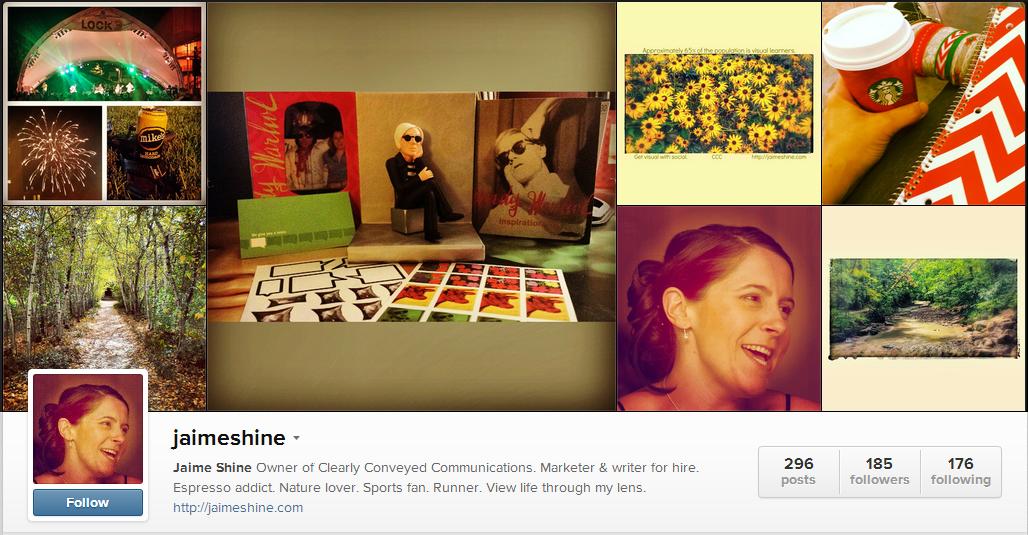
Are you visually inspired? Follow CCC on Instagram! Find us under jaimeshine.
Hashtags & Instagram: An Experiment that Produced Results
I was reviewing our Instagram account on Sunday evening (OK, more like Monday morning) and decided to try adding hashtags to older photos that didn’t have any or only had one or two. I thought it would be worth the time to draw more traffic and possibly bring new eyes to CCC’s posts. Wow! I couldn’t believe the results.
In only 48 hours, we picked up nearly 100 likes, 10 comments and 6 new followers.
These numbers are for an account with 185 followers, under 300 photos and little to no engagement at some points in the past, so we’re thrilled!
Conclusion: Appropriate hashtag usage on Instagram will result in major traffic increase, so please use responsibly.
Join the Discussion
Do you agree with our recommended hashtag usage on the social platforms mentioned above? Or have you had a different experience?
Do you have any Instagram hashtag guidelines to add?
Have you conducted a hashtag experiment on any social platform?
Hashtags: do you love them or hate them?
p.s. It’s Election Day! Go vote and make your voice heard.
As we approach the 200 follower mark, it seemed like a good time to officially welcome (or re-welcome) everyone to the blog and answer some frequently asked questions.
The categories and tags balloons on the right hand side of the page are great for delving into posts on specific topics — books, branding, paying it forward, etc. If you’re looking for what others are reading, check out the popular content section on the right hand side. It changes daily based on what people are reading that particular day. The archives heading, again on the right side, is a great way to find a past post from a specific time period, say September 2013. Looking for different voices? Scroll down to the Contributors to the CCC Blog section on the right sidebar to enjoy business insight, thoughts on branding and even original poetry.
Do you host guest bloggers?
Yes! We’ve been blessed to host some wonderful guest bloggers, including those referenced in the aforementioned Contributors to the CCC Blog section (on the right hand side). You can browse all of our guest posts here.
Are you interested in being published on the CCC blog? Click here for more information.
What’s CCC stand for anyway?
Clearly Conveyed Communications. We give companies and brands a voice by assisting them with their marketing, writing and social media needs. Wondering what to post on Facebook? Looking for some magical marketing copy? Trying to keep tabs on your ever-changing market? Give us a call (or email or tweet or message…)! We’ll be happy to discuss your next project — no strings attached. Just have a question? That’s OK too! Hit us up; we might just know the answer.
This is where you come in! Are you looking for information on a particular topic? Would you love to hear more about something previously touched on? We love your feedback and try to use it to shape future content. Drop us a line or leave your thoughts in the comments below.
So that should just about do it. Any other questions? Thoughts? Suggestions?
–>Who’s read this blog in their pj’s?<–
Photo credit: the doors open by Torley Olmstead via CC BY-SA 2.0 // modified by the author
One of the first things I always discuss with clients (or even prospects) is that you can’t be everything to everyone — even on social media. We all know that, but as small business owners or business professionals, it can be difficult to weed out any ‘potential’ customers.
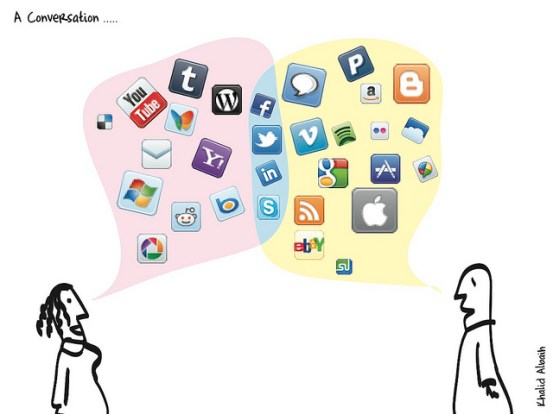
Are you on social media overload? “A Conversation” by Khalid Albalh via CC BY 2.0
Do what I say, not what I do. It dawned on me today after seeing the same reminder from a fellow business owner that I was falling victim to the same trap. In the two and half years that CCC has been in business, my company’s presence on social media, including accounts utilized for business and personal use, has grown to include profiles, pages and channels on double digit social networks. So while I was questioning why other companies wanted to be all things to all people, I was doing the exact same thing.
After mulling over the subject, I have decided to delete my YouTube channel and Google+ profile and page. While these are noteworthy social networks with numerous benefits, they don’t offer the best platforms for my business objectives. (Every business is different, so these particular networks may work well for you.)
When is the last time you’ve conducted a review on your company’s social media presence?
Are you spreading your resources too thin?
Are you trying to be everything to everyone?
If you’ve been struggling with a particular social network or wondering what your company’s (or your) presence is accomplishing, take 5-10 minutes to think about it this week. Maybe it’s time for a new strategy or maybe it’s time to focus on other social networks that better fit what you’re trying to do. Remember, social media isn’t free. Achieving results on any social network requires time, knowledge, patience and persistence.
Get Social (Where It Makes Sense)
How many active social media presences do you or your company have?
Do you have the resources to dedicate to each network?
How do you decide to set up a new social media presence?
Do you have a dedicated person (or people) to manage your social media presences?
What social platforms would you consider leaving or do you not use?
Of course, we’re available if you’re looking for help with your social media needs. Feel free to check out our social media services page or contact us for additional information. Regardless of who handles your social media presences, take a few minutes this week to think about where you’re at, where you’re going and how you’re going to get there. You may be surprised at what you find along the way.
One of my favorite college classes was Business Writing. While it was a morning class (night owl here), we were so productive in that hour and fifteen minute time frame. Why? Free writes.
Free writing—and espresso—help me get the creative juices flowing.
Each class, we’d arrive and sit down at a computer. The professor (who was another reason that class was so productive) would give us a topic, seemingly at random. We’d have 15 minutes to write on that topic, whether it be our desired superpower or a special memory from our childhood. No matter the topic, the free writes produced the desired results — getting our creative juices flowing.
Let’s be honest. College students aren’t known for being morning people and may party more than most. But the simple act of free writing helped us wake up, start thinking and made the rest of the class more productive.
Do you free write?
Sometimes I’ll look back through my college papers, and I always enjoy re-reading the free writes from this class. I’m going to begin incorporating these back into my routine to help break through writer’s block and get my mind going when it’s just one of those days.
Here’s your free write topic: What superpower would you choose? Why? Drop your thoughts in the comments below!
Cheers, Jaime
Connect with CCC for free flowing fun (and helpful tips too)!
Your social media feeds are probably filled with pictures of your friends’ kids (or complete strangers’ kids), especially during back-to-school, Halloween or birthday parties. While we ohh and ahh over these pictures, a question always comes to my mind — how much is too much?
“Young girl using a laptop” by PictureYouth via CC BY 2.0
Everyone is proud of their kids, and they should be. Let’s be honest… all parents reading this post would tell me their children are special and ‘above average’ at key capabilities. So it’s understandable that parents would want to show off their kids as much as possible. But should their be limits?
As a parent, how do you decide when to begin creating your child’s digital footprint? How do you determine what to post? Is anything acceptable — especially for young children? Naked pictures in the bathtub or sitting on a toilet? Do you worry about these pictures cropping up 20 years in the future?
I’m not a parent, so I’m curious of the thought process surrounding these questions — if there’s one at all. As a relative, do you post pictures of your nieces, nephews or cousins automatically? Or do you check with the child’s parents first? Do you share pictures of your relatives’ children to your social networks, which probably include friends outside of whoever posted the picture?
I’m not judging; I’d love to start a discussion and hear different points of view on this subject. Obviously, when my generation was growing up, there weren’t social media networks to share every aspect of your life on 24/7. Digital cameras or phones with cameras weren’t around either, so our parents didn’t take nearly as many pictures of us as kids as parents do today. It’s a different world!
So my question is… kids and social media = what’s the right answer?
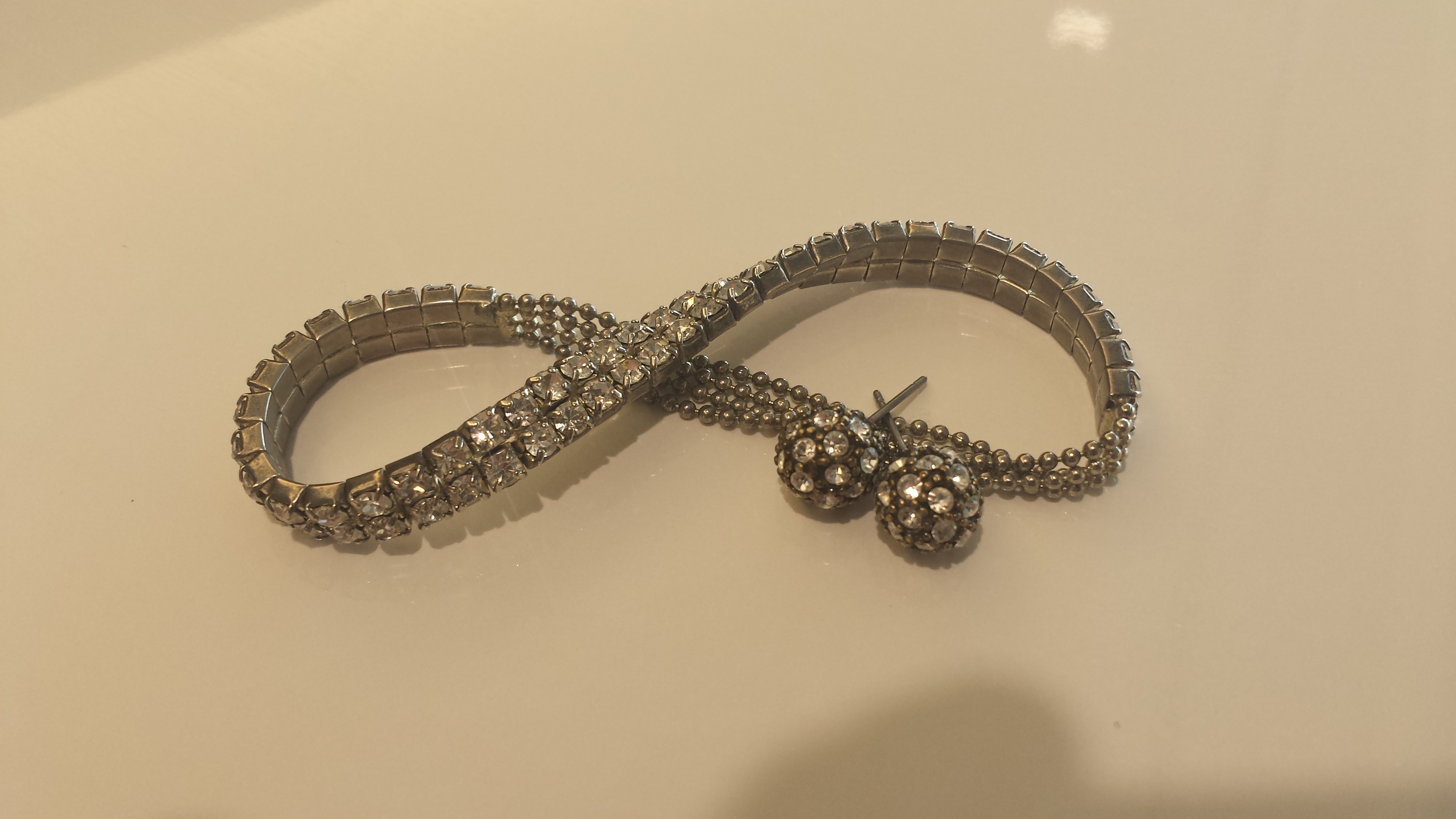
It really is all about the bling, even in business. Presentation, image, packaging… call it what you want. Time and time again, I’m reminded of this fact.
It’s all about the bling — even in business.
Whether a client compliments my laptop bag (love Wenger Swiss Army!) or a prospect is impressed by a smartly packaged presentation, it matters. Yes, substance is important, but you have to wow people with the presentation so they’ll listen to what you have to say.
I’m not talking about being shallow or falsely advertising what you’re all about. It’s about attracting people to give yourself a chance — a hot prospect, a potential business partner, a new boss. Of course you need to impress to continue to develop the relationship.
Disagree? Have you ever bought a more expensive product at the store due to its impressive packaging? Picked up a book based on its eye-catching cover? Noticed someone because of his tailored suit?
If you’re honest, you probably have. We all have. Whether you call it judging a book by its cover or going with your gut instinct, it’s not always a bad thing. According to best-selling author Malcolm Gladwell, it usually turns out all right.
Thoughts?
How have you been swayed by “bling” (i.e. presentation, image, packaging) in the past?
How has presentation, image or packaging helped you succeed in business or life?
I’ve been kicking this post around for awhile, but like everything else lately, I’ve had trouble deciding on a direction. This isn’t typically a problem for me. I make decisions and move forward — always reviewing and learning — but not regretting or living in the past. What’s the point, anyway?
Contemplating life… what’s my next move?
But 2014 has been an interesting year thus far. It got off to a rough start, and has had numerous ups and downs. While I’m in a good place, lately I’ve been so restless — like I’m in the wrong place. Have you ever felt this way?
Instead of abating, it’s actually getting stronger. I feel like I’m waiting on something to happen — although what that is, I don’t know. To fall asleep and wake up in a different life? To be abducted by (kind) aliens? (Kidding, on the last one anyway.)
I love the community I live in but have long yearned for a more tropical climate year round. My house has felt like home since the first time I laid eyes on it. If I could take it with me, I would. I’m not consciously worrying about anything in particular or fearing anything. I just feel restless.
It’s almost like I’m working on a project, and I’ve reached a natural stopping point. I’ve finished this part of my life and am ready to move on to what’s next, only I don’t know what that is yet.
Any suggestions?
Do I need a major life change? Or is this simply some kind of itch that I can scratch by jumping out of an airplane again or jumping into a shark cage (high on the bucket list!)?
I would love to hear your thoughts on the subject, including any personal experience!
While I’m not a personal fan, I do see how they can be used effectively. The problem is that I so rarely see them used effectively. Direct messaging on Twitter tends to be highly automated and utilized differently than messaging features on other platforms. Facebook messages are a great way to communicate with clients, further connect with other individuals — personally or professionally and for groups to have conversations or plan an event. Other platforms are noticing as Instagram, Snapchat and Pinterest have all added direct messaging capabilities.
However, Twitter DMs are often ignored and make some people angry. While I don’t usually get that riled up, here are two recent examples of why Twitter DMs turn me off.
I connected with a local bar/grille and received an automated DM thanking me for connecting and hoping they would see me soon. Fair enough, I made a note that I should check the place out. From time to time, I receive automated DMs about a popular menu item (wings night!) or asking me when I plan to stop by. I responded at one point asking if the bar carried UFC fights. No response — ever. So you’re utilizing DMs to stay top of mind and try to start a conversation, but you don’t respond when someone joins the conversation. What kind of strategy is that?
Here’s another recent example that just confounded me, which often happens when people do things online that they would never do in person. I connected with an individual, who promptly direct messaged me to ask me to retweet a self-promotional tweet on his timeline — link included. That’s like meeting someone at a coffee shop or bar and then asking for a favor 5 minutes later. Would you do that? Probably not, so don’t do it online.
Remember: think before you tweet or DM. Unlike television or other push broadcasting mediums, your recipients can talk back — for the whole world to see.
Join the Conversation
Do you utilize Twitter DMs? How?
Do you utilize direct messaging on other social platforms?
Show me an example of a brand/company utilizing Twitter DMs effectively, even if it’s your own.
Tweet me — or drop your comments below. I’d love to discuss!